The Signal: Digital Preservation

The 2014 National Agenda for Digital Stewardship is Released
Since its founding in December 2010, the National Digital Stewardship Alliance has worked to establish, maintain, and advance the capacity to preserve our nation’s digital resources for the benefit of present and future generations.
In late 2012 the NDSA Coordinating Committee, in partnership with NDSA working group chairs, began brainstorming ways to leverage the NDSA’s national membership and broad expertise to raise the profile of digital stewardship issues to legislators, funders and other decision-makers. The National Agenda for Digital Stewardship became the vehicle to highlight, on an ongoing, annual basis, the key issues that affect digital stewardship practice most effectively for decision-makers.
 The NDSA is excited to announce the release of the inaugural Agenda today in conjunction with the Digital Preservation 2013 meeting.
“The Agenda identifies our most pressing digital preservation challenges as a nation and gives us the direction to deal with them collaboratively,” said Andrea Goethals, the Digital Preservation and Repository Services Manager at the Harvard University Library and one of the Agenda’s authors.
Effective digital stewardship is vital to maintaining the public records necessary for understanding and evaluating government actions; the scientific evidence base for replicating experiments, building on prior knowledge; and the preservation of the nation’s cultural heritage, but in the current resource-challenged climate, digital stewardship issues often get lost in the shuffle.
Still, there is broad recognition that the need to ensure that today’s valuable digital content remains accessible, useful, and comprehensible in the future is a worthwhile effort, supporting a thriving economy, a robust democracy, and a rich cultural heritage.
The 2014 National Agenda integrates the perspective of dozens of experts and hundreds of institutions to provide funders and other executive decision-makers with insight into emerging technological trends, gaps in digital stewardship capacity, and key areas for development.
The Agenda informs individual organizational efforts, planning, goals, and opinions with the aim to offer inspiration and guidance and suggest potential directions and key areas of inquiry for research and future work in digital stewardship.
The Agenda is designed to generate comment and conversation over the coming months in order to impact future activities, policies, strategies and actions that ensure that digital content of vital importance to the nation is acquired, managed, organized, preserved and accessible for as long as necessary.
In addition to the discussions during the Digital Preservation 2013 meeting, a series of webinars will be scheduled over the next few months to provide further opportunities for the digital stewardship community to learn more about the agenda and explore opportunities to put it into practice.
The release of the inaugural Agenda is an important milestone in digital stewardship practice. For more information follow the activity on Twitter (hashtag: #nationalagenda or @NDSA2) and read more about the NDSA and the Agenda on the Signal.
We’d love to hear your thoughts on the Agenda in the comments.
DPOE Turns Three with the July Train-the-Trainer in Illinois
The following is a guest post from Michael Mastrangelo, a Program Support Assistant in the Office of Strategic Initiatives at the Library of Congress.

Class of 2013 DPOE Topical Trainers in Illinois
The Midwest doubles down on its commitment to digital preservation with its second digital preservation Train-the-Trainer event in two years. Hosted July 9 – 12, 2013, by the Consortium of Academic and Research Libraries in Illinois (CARLI) in partnership with the Library of Congress’s Digital Preservation Outreach and Education (DPOE) program, the workshop expanded the Midwestern training network started last year in Indiana.
George Coulbourne, Executive Program Officer notes, “Now that the Midwest has the largest population of trained digital preservation practitioners, they are raising the standards of practice in the region and adding historical and economic value to Midwestern digital collections.” Held in Urbana-Champaign, home of University of Illinois Graduate School of Library and Information Science, this training builds on Illinois’s investment in the information sector.
DPOE, started in 2010, seeks to foster national outreach and education about digital preservation, using a Train-the-Trainer model. Starting with a three-and-a-half-day training of a small group of dedicated practitioners, DPOE plants the seeds of regional networks which train and advocate digital preservation. Those who complete the Library of Congress’s workshop, called Topical Trainers, build their own teaching tools and go out into their home organizations to spread the training. There are currently 63 topical trainers across 33 states who have trained over one thousand practitioners in their homespun workshops and webinars.
After learning of the success of DPOE’s Indiana Train-the-Trainer event in August of 2012, David Levinson, member of CARLI’s Digital Collections User Groups, reached out to the Library to set up a trainer network in Illinois. Acting as DPOE’s partner, CARLI secured training funds from the Institute of Museum and Library Services (IMLS), whose generosity has funded prior DPOE and National Digital Stewardship Residency efforts. CARLI ran a competitive application process, secured the venue and handled key logistical arrangements while still managing their state-wide library resources and training events.
“They (CARLI) went above and beyond our expectations,” Coulbourne noted, “by having the attendees sign contracts pledging to do their trainings within a year. CARLI has been a great partner and they are utilizing the DPOE training network resources to their fullest.”

Viewshare visualization of the DPOE Topical Trainer Network. Each pin represents an attendee of a Train-the-Trainer event.
DPOE’s current anchor instructors are Robin Dale of LYRASIS, Mary Molinaro from the University of Kentucky, and Jacob Nadal of the Brooklyn Historical Society. This team represents some of the nation’s top digital preservation experts. Both Molinaro and Dale have been involved with the National Digital Information Infrastructure and Preservation Program and the National Digital Stewardship Residency. Their generosity in offering their service without any fees, along with the commitment from their organizations, makes the trainings affordable to smaller organizations like CARLI.
The real beneficiaries of the DPOE training are the trainee’s home organizations which will be infused with basic digital preservation training. Illinois Institute of Technology, Lake Forest College, Eastern Illinois University, Newberry Library and many others in Illinois, now have staff ready to train and practice digital preservation.
Coulbourne said that “One of DPOE’s most valuable attributes is its cost-effectiveness. The cultural heritage community needs quality training at a low cost. Digital preservation is a critical skill set but training current staff is often too expensive for smaller institutions. We don’t compete with the I-schools and professional organizations but work with them to fill in the gaps.”
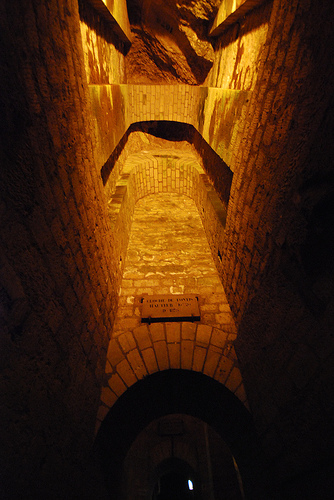 Exit Corridor in the Catacombs, Some rights reserved by Maveric2003 on Flickr
The “How” of Email Archiving: More Launching Points for Applied Research

Email? from user tamaleaver on Flickr.
In early July I wrote about the “what” of email archiving. That is, “what” are we trying to preserve when we say we’re “preserving email.” It was admittedly a cursory look at the issue, but hopefully it’s a start for more thorough discussions down the road.
This time I’ll dig in a little deeper and highlight some of the “how” of email archiving: projects and approaches that are attempting to practically address email archiving issues.
What solution you choose depends, in the first instance, on whether you’re an individual or an institution. NDIIPP offers some high-level guidance for email archiving tailored to individuals (and smaller organizations) as part of our personal archiving tips, but this represents only one possible approach to an email archiving methodology. There are solutions available to individuals (including free ones), though some require more active management and resource allocation (that is, $$$) than others.
The Mobisocial lab at Stanford University has an interesting tool that runs on an individual’s computer called Muse. While not a preservation solution, exactly, Muse enables users to access and browse their personal email archives in a variety of creative ways.
Tools like Muse make it easier for end-users to access large collections of email without the collections being subject to significant upfront organizing, sorting or appraisal. Muse (and tools like it) enable a “bypass” approach that may be heretical to advocates of traditional appraisal, but its simplicity, ease-of-use and effectiveness make it valuable to individuals and small organizations that have pulled their email out of an email system but want to continue to access to the files.
[A discussion between differing archival approaches (let’s call them “heavy appraisal” vs. “save everything” just to be reductive) may be too incendiary to get into at this point, but an illuminating take on the subject can be found in a 2011 blog post from the New York Digital Archivists Working Group.]
Recall the four main technical preservation strategies for email from the last post:
- Migrate email to a new version of the software or an open standard
- Wrap email in XML formats
- Emulate the email environment
- Retain the messages within the existing e-mail system
Muse falls largely under the first strategy. In a tipsheet they note that the tool can access a variety of data formats for email, but they prefer that the archived data be migrated to the mbox format, if not already in that form. The tool can also fetch email from one or more online email accounts, suggesting another migration process hidden under the hood.

“XML” license plate from user anirvan on Flickr.
The Bodleian Library at the University of Oxford in the UK also undertook an email migration effort in 2011 and contributed to the “Preserving Email: Directions and Perspectives” conference that year.
The Collaborative Electronic Records Project is one of the most significant to explore leveraging XML wrappers in email preservation (though XML conversion was not their only preservation approach). The project worked with the North Carolina Department of Cultural Resources EMCAP project to develop a parser that converts e-mail messages, associated metadata and attachments from mbox into a single preservation XML file that includes the e-mail account’s organizational structure. They also published an XML Schema for a Single E-Mail Account.
The NDIIPP-supported Persistent Digital Archives and Library System project also released an open source software tool that extracts email, attachments and other objects from Microsoft Outlook Personal Folders (.pst) files, converting the messages into XML.
Why XML? As the Library of Congress Sustainability of Digital Formats page notes, XML satisfies most, if not all, of the listed sustainability factors, making it highly suitable as a target format for normalization.
As for the first two strategies, Chris Prom pulls them together under what he calls the “whole account approach.” This approach, he says, “reflects the traditional archival model of capturing records at the end of a lifecycle, then taking archival custody over them.”
He contrasts this with the “whole system approach,” which covers the third and fourth strategies above. This approach implements email archiving software to capture an entire email ecosystem, or a portion of that ecosystem, to an external storage environment.

Is Email Dead? from user cambodia4kidsorg on Flickr.
Once captured it may take other tools to provide access. If you’re going to emulate your email environment you may just want to emulate the entire operating system. While not specifically about email, we took a long look at emulation as a service in an interview with Dirk von Suchodoletz of the University of Freiburg back in late 2012.
As for retaining the messages in the existing e-mail system, in some ways this runs counter to traditional archival practice. A 2008 Government Accountability Office report, looking at four federal government agencies, noted that “e-mail messages, including records, were generally being retained in e-mail systems that lacked recordkeeping capabilities, which is contrary to regulation.”
This “strategy” of benign neglect has a lot to do with the recordkeeping challenges posed by email, though efforts like the new “Capstone” approach from the U.S. National Archives are looking to streamline the process.
All of this is to say that there’s plenty of room for applied research in email archiving and preservation and the projects above suggest a variety of potential starting points. Now go to it!
Digital Preservation 2013: Annual NDIIPP/NDSA Meeting Set for Next Week

Discussion during breakout session at the 2011 NDIIPP/NDSA meeting. Credit: Abby Brack
Every year we’re thrilled to host a meeting with our partners and interested individuals in the digital preservation community. This year’s meeting, Digital Preservation 2013, features a number of speakers and presentations around exploring innovative ideas across the digital information landscape. Coming together to share stories and practices of collecting, delivering and preserving our digital materials is an effective way to address various obstacles to our collective and individual work.
Next week, July 23-25, over 200 attendees will gather together to hear from noted individuals, like Hilary Mason of bit.ly, Jason Scott of the Archive Team and Aaron Straup Cope of the Cooper-Hewitt Museum Labs, recognize the 2013 NDSA Innovation Award Winners, share current digital stewardship work in a lightning talks session (PDF), and attend smaller breakout sessions featuring tools and services, and discussions of education and professional development in the field. The last day of the meeting will feature CURATEcamp Exhibition, where participants will discuss ideas about the exhibition of digital collections dealing with narratives, storytelling and context.
I previewed a bit of the agenda a couple of months ago here. The full program agenda is now available online.
We are particularly excited about our plenary panels this year. One panel that I wanted to highlight before the meeting is the “Green Bytes: Sustainable Approaches to Digital Stewardship” Panel with David Rosenthal of Stanford University , Kris Carpenter of the Internet Archive , and Krishna Kant of George Mason University and the National Science Foundation. Joshua Sternfeld, Senior Program Officer from the National Endowment for the Humanities, organized this panel to explore green sustainability in digital preservation for cultural heritage institutions. While there has been some research and discussion in the technology, scientific and commercial fields on the topic of green data centers, there is relatively little by way of the cultural heritage sector and the impact for the digital preservation community. The panel will outline the basic challenges and current efforts to find practical solutions. This abstract (PDF) is meant to provide a little more context for the session and encourage conversation and action beyond this meeting.
Registration for the meeting is full. But you can follow the event on Twitter through #digpres13 and @ndiipp will be live tweeting over the course of the meeting. The plenary speakers will be videotaped and presentations will be posted on our website later in August. We’ll announce those on this blog so please check back in with us! We’re interested in sharing the insights and conversations from the meeting over the next few months.
You Say You Want a Resolution: How Much DPI/PPI is Too Much?
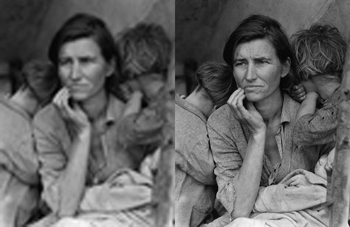
Migrant Mother” by Dorothea Lange. Courtesy of the Library of Congress.
Preserving digital stuff for the future is a weighty responsibility. With digital photos, for instance, would it be possible someday to generate perfectly sharp high-density, high-resolution photos from blurry or low-resolution digital originals? Probably not but who knows? The technological future is unpredictable.
The possibility invites the question: shouldn’t we save our digital photos at the highest resolution possible just in case?
In our Library of Congress digital preservation resources we recommend 300 dpi/ppi for 4×8, 5×7 and 8×10 photos but why not 1000 dpi/ppi? 2,000 dpi/ppi? 10,000 dpi/ppi? Is there a threshold beyond which the pixel density is of little or no additional value to us? Isn’t “more” better?
Recently we received a comment at the Signal in response to a blog post in which the commenter expressed concerns about our ppi/dpi resolution recommendation. The commenter raised some intriguing issues and I asked two digital photo experts to respond to his concerns.
Barry Wheeler, one of the experts who responded, is a photographer, staff member of the Library of Congress and one of the digital photograph preservation researchers for the Federal Agencies Digitization Guidelines Initiative. Wheeler has also written several blog posts for the Signal about scanning and photo digitization.
David Riecks, the other expert, is a photographer, co-founder of Controlled Vocabulary and PhotoMetadata.org. Riecks has written several blog posts for the Signal about photometadata and about processing digital photos.
Below are the comments from all three people. Please read them through and decide for your self what the best digital photo resolution for archiving is.
Mark S. Middleton wrote:
I am concerned that advising people to save at 300 dpi will result in lots of regrets for future generations. The quality of printing, computer monitors and televisions will continue to improve (and thus the ability to see details in higher quality imagery). Also, a person may want to zoom in and view just a portion of a scan or even cut out a piece (just their grandmother from a school group photo) all of which will suffer from 300 dpi.
I believe that 600 dpi is a better recommended minimum size. It’s better to build the quality into the original scan (saving as a TIFF), then saving JPEGs from that for sharing with relatives or posting online (for smaller file sizes). I recommend looking at the “use cases” of scanned photography and as well as better future proofing recommendations. 600 dpi does cause larger files, but with hard drive prices coming down I believe the value is worth it.
David Riecks responded:
I think the answer really revolves around what you are scanning. For “photos” (i.e. a photographic gelatin silver print, or chromogenic dye print like RA4 process), you can scan at a higher resolution. However, in most cases, all you will see are the defects.
If the original you have to work with is a 4 x 6 inch print, and you scan it at 600 or 1200 pixels per inch, you could then make the equivalent of an 8 x 12 inch print, but it’s not likely to give you better quality. It will…take up much more space on your hard drive.
If you have a high-quality 8 x 10 inch glossy print, in which the image is sharp (no motion blur from the camera moving), it might be worth going to a higher sampling setting. But I would recommend that you do some tests first to make sure it’s worth it.
In my experience, higher scanning resolutions usually just give me more dust to spot out later and the enlarged images never look as good as the small original.
If you are scanning a b&w or color negative or a color slide, then you certainly want to scan at higher resolutions. Which is best has much to do with your intentions (now and in the future), the quality of the original and the type of hardware you are using to make the scan.
Many scanners advertise an interpolated sampling rate in their “marketing speak” though you will often get better results scanning at the maximum “optical resolution” of the scanner.
Barry Wheeler responded:
First, begin with how much detail is there actually in the original. This amount of detail varies widely. A halftone screen for an old newspaper may result in less than 200 dpi actual. A modern lens on a quality black 7 white emulsion may be 2800 dpi.
In the old days, (the 1990s) when scanning became widely available, 300 dpi was a good starting point because many, many books and documents did not contain more detail than that, and even today, 300 dpi is a good starting point.
For example, at the Library of Congress we currently print our digital photographs using high quality pigment printers that may claim a resolution of 1200 or 2400 or much, much more. But those are microdots of different color merged to produce the variety of shades of gray or color. Usually the printer driver produces a finished resolution between 240 dpi and 360 dpi.
Second, we need to sort out the term “resolution.” Scanners and cameras contain pixels and “sample” the image at a “sampling rate” depending on the distance between the camera and the image. So when people talk about “resolution” using 300 ppi or 600 ppi or 3000 ppi they are actually using the “sampling rate” of the device. But few devices are 100% efficient.
Common scanners may be only 50% efficient; cameras may be 80 – 95% efficient. Thus the actual resolution achieved at 300 ppi may only be about 200 ppi – higher ppi rates are the result of image processing which may give the appearance of sharper lines but which does not produce additional detail. Many scanners will claim 1200 ppi and produce less than 600 ppi true optical resolution. Federal Agencies Digitization Guidelines Initiative standards (http://www.digitizationguidelines.gov/) are currently at 80% efficiency for a 2 star, 90% for a 3-star, and 95% for a 4-star outcome. Many of our projects for prints and photographs and rare books are 400 ppi at 3-star levels, although some are much higher.
Third, many people want to enlarge an image. We often try to scan film – particularly 35mm film – at a resolution necessary to provide a final print at 300 dpi. So if you want a common 4″ x 6″ print you need a true resolution of 1200 ppi. Specialized film scanners and high quality camera setups can achieve this. Commonly available consumer flatbed scanners cannot. (If you read the fine print specifications, they will often say something like “true 2400 ISO sampling rate” not ISO “resolution.”)
But once you reach the limits of the device resolution and the detail in the original, then additional enlargement doesn’t help. I think I have a couple of illustrations of this in my most recent blog article about enlargement (http://go.usa.gov/j2q4). I don’t believe you can magnify a newspaper image and find additional detail in a scan with a true resolution above 300 ppi.
Finally, Apple claims that human vision is only capable of resolving 326 ppi (search online for their “Retina display” marketing materials). There is a lot of quibbling about that number but most still claim not more than 450 ppi.
In the end, I doubt that you will see any significant improvement in an image of reflective materials beyond an ISO standard resolution of 400 ppi. I doubt you will find any improved image quality on consumer scanners above an ISO standard resolution beyond 1200 ppi unless you scan 35mm film in a specialized, high quality film scanner.
Two final notes. I believe the costs of higher resolution are vastly underestimated. Scan time will increase significantly with increased resolution. Transfer times increase, processing times increase. The expertise needed increases to get better quality. Storage and multiple backups increase. Consumer hard disk drives are not archival devices. Your children and grandchildren may not be able to retrieve images from a hard disk even 15 years from now. Increased image size means greatly increased cost.
And I believe 300 ppi / 400 ppi is future-proof. At least for reflective materials, I don’t believe we will see greater detail in a 1200ppi scan no matter how improved future equipment is.
What Would You Call the Last Row of the NDSA Levels of Digital Preservation?
The following is a guest post from Megan Phillips, NARA’s Electronic Records Lifecycle Coordinator and an elected member of the NDSA coordinating committee and Andrea Goethals, Harvard Library’s Manager of Digital Preservation and Repository Services and co-chair of the NDSA Standards and Practices Working Group.
As part of the effort to publicize the NDSA Levels of Digital Preservation and as a way to continue to invite community comment on it, several members of the Levels group wrote a paper about it for the IS&T Archiving 2013 conference. The paper is The NDSA Levels of Digital Preservation: Explanation and Uses is available online.
The Paper, The NDSA Levels of Digital Preservation: An Explanation and Uses is available in the NDSA section of Digitalpreservation.govAndrea Goethals presented the paper at the Archiving conference on Friday 4/5/13, and invited comments and suggestions from the conference attendees. We would also like to hear your comments and ideas on this paper here in this post.
At the conference, we got interesting comments and one significant suggestion to improve the paper from Christoph Becker, Senior Scientist at the Department of Software Technology and Interactive Systems, Vienna University of Technology. We wanted to present the suggestion he made here and ask for help from all of you to resolve it.
Christoph wrote that the major aspect of the levels that he would adjust is the label for the last function, “file formats.” You can see the table here. He pointed out that file formats are just one aspect of a larger preservation challenge related to how data (the bitstream) and computation (the software) collaborate in creating the “performances” that we really care about. New content is often not even file based. Format is just one element out of many that could be significant in preservation, and in some cases the format itself is almost meaningless. Often the real issues are related to specific features or feature sets (e.g. encryption), invalidities and sizes. (Petar Petrov tried to include part of this problem into his blog post about content profiling.) If you consider research data, for example, the format could be known to be XML-based but have no schema available. The real preservation challenge might be that the data requires a certain analysis module (found here) running on a certain platform, which is dependent on distributed resources — a certain metadata schema (found there), and certain understanding of semantics (found over here).
Christoph’s suggestion is that the overly-specific label “file format,” in the levels puts forward too narrow a view of the problem in question. The label could skew the real challenge since it excludes part of the problem (and part of the potential community). He suggested possible replacements for the “file formats” label. ”Diagnosis and action”? “Issue detection and preservation actions”? “Understandability”? For him, in fact, this is the heart of preservation, and if you look at the SHAMAN/SCAPE capability model that Christoph works on, the preservation capability really is all about the last two rows (operations include metadata), assuming that the bitstream is securely stored and managed.
We (Andrea and Meg) think that Christoph has a valid point, but we’re still not sure of the best label to capture the suite of interrelated issues that need to be addressed in the last row of the Levels chart. Christoph’s suggestions make sense in isolation, but they would overlap with activities in other rows of the chart, and don’t quite convey the concept we originally intended.
- Do you think “file formats” is clear enough as shorthand for these kinds of issues, given where most of us are in our practical digital preservation efforts, or does this need to be changed?
- What label would you use for the last row of the chart? (Content characteristics? Usability? Just plain formats (without “file”?)
- Are there other changes you think we should make to improve that row?
- Any changes you’d recommend to other parts of the chart?
In the Archiving 2013 paper, we said that any comments received by August 31, 2013 would influence the next version of the Levels of Digital Preservation, so please suggest improvements! We may come back to you again over the summer to help resolve other issues.
Content Matters: An Interview with Staff from the National Park Service
This is a guest post by Abbie Grotke, the Library of Congress Web Archiving Team Lead and Co-Chair of the National Digital Stewardship Alliance Content Working Group.
In this installment of the Content Matters series of the National Digital Stewardship Alliance Content Working Group we’re featuring an interview with staff from the U.S. National Park Service. CWG member Chris Dietrich, Digital Information Services Program Manager in the Resource Information Services Division, responded, with contributions from Kenneth Chandler (Mary McLeod Bethune Council House NHS/National Archives for Black Women’s History); Christina Boehle (Panoramic Lookout Tower Photos); Gerald (Jerry) Fabris (Thomas Edison National Historical Park); Heather Hernandez (San Francisco Maritime/Union Iron Works Employee ID Cards); and Damon Joyce (Natural Sounds Program).
Abbie: Most people think of green space and nature when they think of the National Park Service. What is the NPS doing in terms of digital collections and digital preservation?

Chris Dietrich
Chris: The National Park Service preserves not only great outdoor spaces, but also historic buildings and museum collections, as well as digital media including photos, historic audio recordings, geospatial data, oral histories, digitized documents, 3D museum objects and so much more.
Because the Park Service is decentralized geographically and administratively, many digital preservation efforts are locally initiated and managed. We are now beginning to connect digital preservationists operating independently around the country and are developing standards and practices for use throughout the Park Service.
Abbie: What sparked the NPS to join the NDSA?
Chris: There is no overarching authority in the NPS that is responsible for mandating digital information management standards across all program areas. When I say program areas, the range includes natural resources, cultural resources, visitor services, law enforcement, regulatory compliance, budget, public relations and communication, just to name a few. At the same time, nearly all program areas have some need for digitization, digital asset management and digital preservation. We saw involvement with the NDSA as a way for those with an interest in promoting Servicewide standards and best practices to be engaged with other agencies so we can make authoritative recommendations even if we don’t have the authority to mandate specific standards or processes. We also hope to inform other NDSA members about the challenges that an organization with such a broad scope has in managing digital information.
Abbie: Who at the Park Service is involved in building digital collections and thinking about digital preservation issues?
Chris: A lot of folks working in the Museum Program nationally and at museum centers in the NPS Regions are involved with digital preservation. There are also digital preservationists in parks and programs of all sizes, and of course the Resource Information Services Division where I work provides digital preservation support for everyone in the Park Service. We recently formed the NPS Digital Information Services Council to better coordinate, collaborate, and communicate about digital preservation and management efforts and requirements. The DISC is composed of digital information stakeholders from a spectrum of program areas and administrative units. It’s organized by subject area (Systems Coordination, Digitization, Digital Still Images, Digital Audio, etc.) with the idea that the folks on each of the work groups has subject matter expertise and is passionate about (or at least regularly involved with) a particular aspect of digital information management. That way DISC tasks overlap considerably with a person’s program goals, and participation is less a matter of extra work than of dovetailing daily activities with DISC efforts.
An example of this is the Digital Audio Subcommittee chaired by Jerry Fabris at Thomas Edison National Historical Park. Jerry got involved with DISC because he wants to improve metadata and management of the park’s digital audio collection. The subcommittee is now reviewing industry metadata standards and developing a recommendation that can be used not only by Jerry, but throughout the NPS.
Abbie: What are some of the biggest digital preservation challenges you face at NPS?
Chris: Probably the biggest challenge at the moment is an artifact of the decentralized nature of the organization. When the NPS was founded nearly 100 years ago, it was vital for parks to be independent and able to solve problems with local solutions and resources. After all, one might be a long way from the nearest train stop or telegraph office, so help could be a long time in coming. In the 21st Century, data management is a daily activity for many employees and communication and data transfer is almost instantaneous. It no longer makes as much sense for everyone to always operate independently. If we can share knowledge and experience, we can do a better job of managing digital resources at all parks and programs, not just a few.
Another problem is the lack of staff trained for and dedicated to managing digital information. Digital preservation can be very technical. In the Park Service, most digital content creators and preservationists are not digital curation experts. There are also issues of law involved: the Federal Records Act, Copyright, Privacy Act…. Dealing with these issues requires expertise, but also directions that all content creators can understand and follow. We are striving to bridge the gap with standards, guidance, and easy-to-use software so folks can do a good job without needing to become digital librarians and archivists.
Abbie: Could you give us examples of some of the kinds of things the National Park Service has collected?
Chris: Here are a few projects that we’re currently working on:
Panoramic Photographs from NPS Fire Lookouts. Original historic photo prints of NPS lookouts and potential lookouts (locations where a lookout was considered, but was never built), from the 1930s and the 2010s, are being digitized and will be used with modern, born-digital retakes to visualize landscape changes over time. The purpose of the project is to promote citizen science through access to panoramic photographs from National Park Service lookouts and potential lookouts (locations where a lookout was considered, but was never built) from the 1930s and the 2010s.This project is related to a larger one in which the National Park Service has partnered with GigaPan® to host panoramic photographs taken in the 1930s and present. An example is the Grand Canyon Gigapan photo.
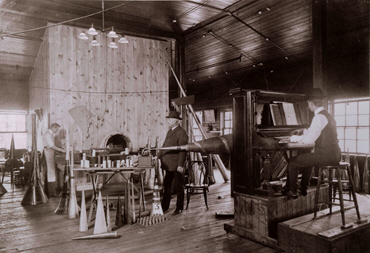
Edison Laboratory Music Room, 1905. NPS Photo.
Historic Recordings at Thomas Edison NHP. NPS is digitizing historic sound recordings at the Thomas Edison National Historical Park in West Orange, New Jersey. Thomas Edison invented the phonograph in 1877 and manufactured phonograph records from 1888 to 1929. The NPS preserves 48,800 cylinder and disc phonograph records at Edison’s West Orange Laboratory. Sounds recovered via recent digitization efforts have attracted international news coverage, including the only voice recording of German Chancellor Otto Von Bismarck, as well as the earliest known commercial recording. A collaborative project is underway for the National Park Service to contribute several thousand Edison disc recordings of popular music from the 1910s and 1920s to the Library of Congress’s National Jukebox, an online digital audio library. For links to Edison recordings and information about the park’s sound archive, visit the Thomas Edison National Historical Park website.
Union Iron Works Historic Employee ID Cards. NPS is also scanning and making available historic employee identification cards from the Union Iron Works shipbuilding facility in San Francisco, and entering the data into a database to enhance historical, genealogical, and economic research. By digitizing and creating metadata to make each individual card searchable, researchers can locate information on the employee by name, address, occupation, and sometimes even country of origin and age-information valuable to genealogists, building and neighborhood historians, and labor and economic historians. By entering this information in a database, researchers will eventually be able to create resources showing the geographic distribution of an entire workforce, look at immigration patterns of this workforce, or even their age ranges. The virtual exploration of an entire shipbuilding workforce speaks to the experience of everyday Americans in a way not possible before the digitization of this collection, while allowing access to the cards in a way that preserves the original hard-copies for posterity. There is a presentation available online with more information.
Natural sounds recordings. The NPS has remote acoustical monitoring stations in parks that record the natural “soundscape.” The continuous audio recordings are used to identify sound sources at a site, estimate baseline sound levels, and detect change over time. Changes could be a result of increased human activity, or from management actions such as redistributing overhead flight routes. Preserving these recordings for future analysis will be very important to future managers and researchers, just like the historic panoramic photos taken from fire lookout towers mentioned earlier are being used now.
Oral histories. NPS is digitizing historic audio and video recordings from the 1960s and 1970s. These recordings mostly document the activities of the National Council of Negro Women, and most were recorded during the events. There are also some oral history interviews. After digitizing, we are continuing the preservation process by creating accurate transcripts of the 200-plus hours of audio.
Abbie: Interesting! What kinds of stories do you think these collections tell us? Are there some trends and changes over time in the collections that you could tell us about?
Kenneth: The stories they tell are as broad as the responsibilities and mission of the National Park Service. They tell us of the nature and histories of our national parks over time, and the history of our nation as historic places become recognized as important and are brought into the care of the Park Service. As our collective understanding of what is historically important has evolved, so has the nature of the sites and the material in the collections.
One example is the history of technology. Lowell National Historical Park, Edison National Historical Park, Hopewell Furnace National Historic Site and Steamtown National Historic Site and their collections all tell part of the story of technological America. The recognition of the importance of the stories of non-dominant cultures in America has led to many new culturally diverse sites to be recognized as important, such as Manzanar and Minidoka National Historic Sites, Women’s Rights National Historical Park, Stonewall Inn National Historic Landmark, Mary McLeod Bethune Council House National Historic Site, Carter G. Woodson Home National Historic Site and Port Chicago Naval Magazine National Memorial, just to name a few. Changing views have even renamed and repurposed sites, such as Little Bighorn Battlefield National Monument (as opposed to its former name of Custer Battlefield National Monument).
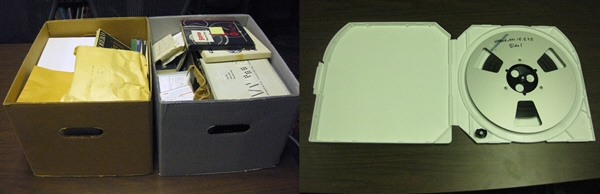
Before and After: During the NABWH recordings digitization process, tapes were transferred onto professional-quality metal reels and stored in inert plastic cases. On the left are the original enclosures in which the reel-to-reel tapes were found; the right shows how the storage was upgraded. NPS Photos.
Abbie: What are some of the most popular pieces in the collections? Could you tell us a little bit about them?
Kenneth: The Mary McLeod Bethune Council House National Historic Site houses the National Archives for Black Women’s History. The NABWH is a scholarly research archive with important collections relating to the history of African American Women. Most of the collection is analog, but has been digitized. The analog originals will likely go into cold storage unless needed for some new technology conversion. The collection is now managed as a digital collection, with all the issues of a digital collection. The collection also includes “born digital” materials, including multiple types of video, digital audio and still images.
The most popular and voluminous part of the archive is the National Council of Negro Women Records, although researchers have made use of most of our 60+ collections. Most used within the NCNW Records is the series of photographs of over 4,000 images. The National Council of Negro Women Records document the work and history of the civil rights organization founded by Mary McLeod Bethune in 1935, and led by Civil Rights icon Dorothy Irene Height from 1957 through the 1960s and into the 21st Century. Much of the work of the Council took place behind the scenes, within the system, and in coordination with other groups, so its work may not be as generally famous as civil rights organizations that used more confrontational tactics and thus made more “news.” This does not mean the NCNW did not play an important role in the Civil Rights Movement, though. On the contrary, their tactics of building bridges of understanding were often highly successful.
Abbie: How does this collection fit in with other collections and areas of research activity at your organization?
Kenneth: The origins of the Mary McLeod Bethune Council House National Historic Site stem from the National Council of Negro Women itself creating a museum and archive to document the history of African Americans and to honor Mary McLeod Bethune. The collections center on the NCNW, and most of them are of organizations or people related to the NCNW. It is the core of the collection, but so diverse that it documents a broad range of topics related to African American and Women’s history.
Abbie: Could you tell us a bit about what you see as the primary value of this kind of collection? Do you think this is a model for other organizations, and if so what do you see as the key features that organizations should be focusing on in developing plans for similar collections?
Kenneth: The primary value of this collection is that it thoroughly documents the history of a key civil rights organization over a period of 60 years. This is 60 years of growth, financial hardship, change in focus and leadership, failures and triumphs — and the information is available nowhere else. Preserving the records of organizations such as this is essential to our understanding of our history. It is often organizations and the collective will and labor of the people who make up those organizations that get things done in our society. Other historical preservation organizations need to seriously consider seeking out their records for preservation and research.
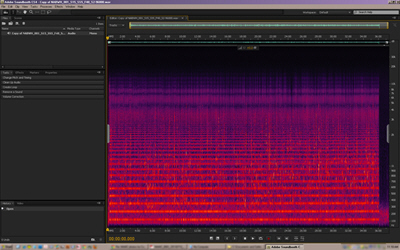
Many of the NABWH recordings were of poor quality, and noise reduction editing to copies of the digital recordings was necessary before sending them to the transcriber. This screenshot shows the horizontal bands of a particularly severe 60Hz hum with harmonics up the frequency scale, from a recording of a March 30, 1978 focus group organized by the NCNW. NPS Image.
Abbie: Could you tell us a bit about how the collection is being used? To what extent is it for the general public? To what extent is it for scholars and researchers?
Kenneth: Access to the NABWH is available to researchers and the public by appointment only. The NABWH is used extensively for history and sociological research into the history of women in the civil rights movement and in American society in general. These researchers create dissertations, articles, books, and documentaries. It is most useful to scholars and researchers due to the nature of the material. The general public is welcome to conduct research under the same terms as professional scholars and researchers, but because of the high demand for access, general unfocused browsing is discouraged.
Abbie: How about a few of the most underappreciated pieces in the NPS collections? Do you have a few favorites that you think people should be paying more attention to? What kinds of stories do these works help us tell?
Kenneth: One collection we have that is particularly interesting but seldom used is the National Committee on Household Employment Records. It documents the work of a non-profit corporation dedicated to understanding, documenting, and then upgrading the economic and social status and the quality of employment in household and related services. The full extent and importance of the information in the 220+ hours of digitized audio has also yet to be tapped.
Abbie: Any thoughts about the general challenges of handling digital materials within archival collections?
Kenneth: The most difficult aspect of handling digital materials within archival collections is obtaining and maintaining the technology required to create, access, and preserve the digital materials. A paper document does not require a technological interface for a human to access the information. Digital materials do require such technological interfaces, and these interfaces are a moving target of changing hardware and software, multiple formats, codecs, file wrappers, and technical know-how. There is always the danger of losing digital information due to equipment or software obsolescence, equipment failure, or lack of funds to replace or expand equipment or software.
Abbie: Thank you, Chris and Kenneth, and all of the NPS staff that contributed to this interview! And to our readers: What kind of content matters to you? This is but one case for preserving valuable content for long-term access. If you or your institution would like to share your own story of use and long term value of access to a particular type of born-digital resources, please send us a note at [email protected] and in the subject line mark it to the attention of the Content Working Group. We would love to hear from you!
NDSA Levels of Digital Preservation @ USGS: An interview with John Faundeen
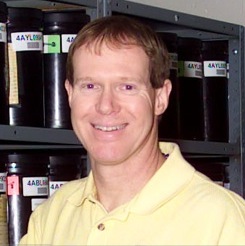
John Faundeen, Archivist with the U.S. Geological Survey
A few months back several members of the National Digital Stewardship Alliance’s Levels of Digital Preservation team presented a short paper at Archiving 2013, The NDSA Levels of Digital Preservation: An Explanation and Uses. While the Levels of Digital Preservation will continue to be refined and improved we are thrilled to report that they are already being used (as designed) as a tool to facilitate planning and decision making about getting to work mitigating the most pressing risks to digital assets.
In this respect, I was happy to hear from John Faundeen, an Archivist with the U.S. Geological Survey who recently used the Levels to inform the development of USGS Digital Science Data Preservation Guidelines. I am thrilled to take this chance to chat with John about what he has found useful about the levels and how he is making use of them.
Trevor: Could you tell us a bit about the particular challenges the USGS Digital Science Data Preservation Guidelines are meant to address? At the end of the day, each our our challenges and use cases have their own particular wrinkles and it is interesting to learn about different requirements and use cases.
The Paper, The NDSA Levels of Digital Preservation: An Explanation and Uses is available in the NDSA section of Digitalpreservation.gov
John: The USGS is investing a lot of resources in locating or developing best practices for managing, preserving and making available the science data the agency creates. When the NDSA released the draft Levels of Digital Preservation for review it struck a chord with a team assembled in 2012. That group is directly sponsored by our senior management and the areas addressed in the draft readily aligned to our needs.
Trevor: What was it about the NDSA Levels of Digital Preservation that you found useful to bring into your work at USGS? Were there other kinds of digital preservation guidance that you considered making use of too? If so, what was it about the NDSA Levels that was more relevent to your needs?
John: Specifically, the team really liked the progression, from left to right, that an entity can follow to become a better archive or repository. We felt it was unrealistic to simply levy requirements and expect our science offices to be able to achieve them. By having levels, these offices could incrementally begin addressing the important elements necessary to protect digital data.
Trevor: How are your users responding to your the guidelines you put out? Do you have a sense of how this is or isn’t effecting local practices?
John: The Team has spent the last several months applying explanations to the elements that hopefully our science managers can relate to and understand. For example, we were fairly certain that most of science managers would not relate to or understand the term fixity. We, in turn, substituted the phrase checksum, which is not a direct synonym, but would be better understood in our agency. When our reviews and updates are completed, it is expected that the table will become an important part of our updated data management policy for the 9,000+ employees at USGS.
Trevor: Given that you have worked with the Levels a good bit I would be curious to know if you have any comments on them. Are there parts of the Levels that are easier or harder for your users to manage? Are there parts that are easier or harder for your users to understand?
John: Aside from fixity comment above in the Data Integrity area, the Team really felt the Storage and Geographic Location area resonated with our needs. USGS is highly distributed with science data located and being generated from all 50 states as well as territories. Focusing on off-site storage locations was bang on for us.
The metadata area also was very appreciated as we have been trying to educate our staff on the importance of creating complete metadata throughout the lifecycle of the data. Working through FGDC and ISO, we feel this added emphasis will only help our efforts.
Lastly, the File Formats area led us to compile a list of recommended formats for our science staff to concentrate on. If we can accomplish our mission and begin to utilize a limited number of formats, both our users and our own agency will benefit.
Trevor: Do you think your approach, creating a localized set of guidelines for your organization based on the Levels, would be useful for other organizations? In particular, what situations do you think these kinds of localized guidelines can help in?
John: We would hope that our approach, based completely on the NDSA model, would be of some value to other organizations seeking a stepwise approach to better manage their digital assets.
An Introspective Look at Nam June Paik, Time-based Media Art and Conservation Practices in Museums
The following is a guest post by Madeline Sheldon, Junior Fellow with NDIIPP

Smithsonian American Art Museum. Photo by Madeline Sheldon.
During the last week of June, I had the pleasure of attending the Smithsonian American Art Museum’s symposium titled, Conserving and Exhibiting the Works of Nam June Paik, which featured museum professionals who discussed their previous experiences with the conservation and preservation of Nam June Paik’s media-based artwork. My summary of this symposium reveals my own interpretation of the discussion as it pertains to the current state of digital conservation and preservation within the museum world.
NamJune Paik: The Man and the Exhibit
Known as the “Father of Video Art,” Nam June Paik created multiple video installations over the span of his life, acting as an influential pioneer for the contemporary art world. According to presenter Jon Huffman, who worked with the artist for over 20 years, Paik’s method involved a total “realiz[ation]” of his workspace. Often beginning his process by sketching in a notebook, Nam Paik used the museum as his studio, building his exhibits on site. At times, he would reuse some of his previous installation concepts, and combine them with recent renditions to make a new piece of artwork. The Worlds of Nam June Paik (2000), displayed at the Guggenheim, served as a great example of the artist’s use of space and recycled pieces. In this instance, he used several works for the exhibit, installing Jacob’s Ladder (2000) as one of his centerpieces, and included TV Chair (1968), TV Cello (1971), and TV Garden (1974) throughout the Guggenheim’s many galleries. As a result, the museum existed as an entirely new art piece, incorporating the physicality and design of the building, which worked with his smaller video installations to tell his remarkably visual story.
Conservation and Preservation Strategies
The photographs of Nam June Paik’s work do not fully capture or represent the brilliance of the artist, because in order to enjoy or “realize” his vision, a patron must be physically present within the space. This reality is certainly true for professionals like presenter Joanna Phillips, who simultaneously work to conserve the integrity and preserve the physical nature of Paik’s art. In the symposium, Phillip’s revealed that Nam June Paik, who actively facilitated the conservation process, was known for his flexibility as an artist, because he worked in collaboration with museums to find restoration strategies for his installation pieces. While the artist was a willing participant, his artwork did not share the same flexibility, mostly because of its functional dependence on analog hardware, which often impeded the conservation process.
John Hirx’s presentation provided a great example of the similar challenges he faced while working to conserve, and eventually preserve, Video Flag Z (1986). While the conservators in his museum wanted to devise a reversible restoration plan for Z, Hirx ultimately had to rely on preservation strategies, such as migration and emulation, to combat the technical obsolescence he confronted with the installation’s analog TV sets. In the end, John made an executive decision, choosing to manufacture a “hybrid” model, which included a migrated TRIVIEW security monitor, fashioned to emulate the look and feel of the original QUASAR set. His experience exposed the complicated, often creative work museum professionals must do to assess what can be realistically accomplished in terms of long-term solutions for the artwork in their collections.
Preservation for Access

SAAM Courtyard. Photo by Madeline Sheldon.
Access to media-based content will become increasingly fragile and more susceptible within a “non-static” human environment, which requires immediate and consistent action from collecting institutions. Currently, organizations, such as the Electronic Arts Intermix and the Smithsonian American Art Museum, are taking “proactive approach[es]” (to quote speaker Lori Zippay) towards the preservation of “living” time-based material, which remains in a “constant state of flux.” The EAI creates multiple backup copies of its content, and also provides a subscription-based portal for educational institutions to access their digital collections.
In order to prepare for the Nam June Paik exhibit, the Smithsonian American Art Museum needed a massive electric renovation, so that the facility could safely manage and display the artist’s video installations. While every strategy differs, each institution must undergo a parallel process of maintenance, extensive preparation, and preservation planning with regards to their individual collections. Doing so not only alleviates some of the time-based media’s susceptibility towards obsolescence, but also improves the possibility of long-term access.
Predictions for TBMA and the Museum
Speaker Ann Goodyear called for dynamic change within the museum community, as they exist in the cultural heritage environment, predicting that “repositories” would act as the “archives” for future generations. As artists experiment with new and diverse time-based media, museums will increasingly require flexible preservation strategies, and a new breed of specialists to care for and maintain their collections. Departmental and/or external institutional collaboration between the digital stewardship community, e.g. Smithsonian’s TBMA Working Group, Matters in Media Art and the Variable Media Network, will be required for the future advancement of standards and best practices.
The complexity and diversity of challenges museums face are certainly unique to and, at times, more dynamic than the issues with which libraries and archives come into contact. All of my personal experience with digital preservation exists within the confines of libraries and archives, which is why the symposium proved so beneficial to my understanding of its capacity within museums. While libraries and archives certainly experience challenges with preserving digital content, the type of data they collect and preserve tends to exist primarily within a virtual environment. On the other hand, museum professionals must work to conserve a multi-dimensional object, which not only refers to the physicality and location of a project, but also to the intent of an artist.
The observations inferred from this symposium will ultimately supplement the research I’ve conducted regarding digital preservation planning, focused primarily on archives, libraries and museums. Tune in to my last blog post, which will include a brief summation of my methods, data and conclusions.
Reframing Art Resources for the Digital Age: An Interview with Stephen Bury & Lily Pregill of the New York Art Resources Consortium
The following is a guest post by Jefferson Bailey, Strategic Initiatives Manager at Metropolitan New York Library Council, National Digital Stewardship Alliance Innovation Working Group co-chair and a former Fellow in the Library of Congress’s Office of Strategic Initiatives.

Lily Pregill, Coordinator and Systems Manager for the New York Art Resources Consortium
In this installment of our ongoing interview series with new members of the National Digital Stewardship Alliance, I am excited to talk with Dr. Stephen Bury, Director of the Frick Art Reference Library and Lily Pregill, Coordinator and Systems Manager for the New York Art Resources Consortium. The New York Art Resources Consortium consists of the research libraries of The Frick Collection, The Brooklyn Museum and The Museum of Modern Art.
Jefferson: First off, for those readers not familiar with NYARC, can you describe how it came about, how the three institutions work together and the types of projects and initiatives it undertakes.
Stephen: Although there had been earlier informal cooperation between New York art libraries, in 2004 the libraries of Brooklyn Museum, the Metropolitan Museum of Art, the Museum of Modern Art and the Frick Art Reference Library were awarded a planning grant by the Andrew W. Mellon Foundation, which enabled them to hire a consultant, Jim Neal, to survey the landscape and make recommendations on resource sharing. A second grant in 2006 enabled the implementation of a shared catalog, Arcade in 2007: this did not include the Metropolitan Museum of Art, which formally withdrew from NYARC in 2011. NYARC has been involved in a range of projects from digitization (e.g. the Gilded Age projects to a study of web-archiving for born-digital art materials. It is also in the midst of a Shared Print project for art serials.
Jefferson: We talk a lot about the need for collaboration in digital stewardship and ways to share infrastructure, resources and expertise. Tell us how NYARC has helped further the mission of each member institution and the overall art library community and what challenges and successes it has encountered along the way.

Dr. Stephen Bury, Director of the Frick Art Reference Library
Stephen: Collaboration has become the watchword for NYARC. It allows NYARC partners to punch above their individual weight and access technology and innovation which they would otherwise be unable to afford. We therefore give our member institutions much better access to a collective resource of 1 million items in a cost-effective manner. NYARC has pioneered many approaches which it has shared with the art library community locally, nationally and internationally.
Lily: In terms of challenges, working as a larger group requires well-defined communication lines and consensus building, which can take more time than if working as a solo institution. But I would add that the major benefits we’ve seen from our collaboration, and all of that communicating, is a pool of shared expertise, harmonized procedures and the cross-pollination of ideas that flows among our staff members.
Jefferson: How has digital content, both content created, but also scholarly uses of digital content, impacted art libraries as they work to support and engage with users and researchers? What opportunities do you see for digital content to enable museum-based libraries and archives to support preservation, access and research?
Stephen: The literature of art history has been slower to shift to the digital than the sciences, social sciences and many humanities disciplines such as classics or archaeology. This has been primarily because of intellectual property issues in images. Nonetheless, an increasing amount of electronic reference resources, full-text electronic journals and digitized materials are available. NYARC has implemented access to its own digitized content and to those items digitized in Google Books through Arcade, but it is necessary now to introduce a discovery layer interface to give deep access to our purchased electronic resources and to the websites we have started to harvest.
Our overall goal is to create a critical mass of digitized and born digital content that can be exploited through digital technologies – visualization, proximity searching, linked data etc. – that will drive a new art history. At the same time we have to give access to physical materials where the analog has aura, such as artists’ books or little magazines; and one of the paradoxes of digitization is that it does drive some additional traffic to the original object. Straddling the worlds of manuscript, print and digital poses dilemmas for the allocation of scarce resources, especially when it comes to preservation.
NYARC has also been very keen to reach a wider audience – from the inclusion of name-rich metadata for the Frick’s photoarchive – of interest to genealogists – to the use of social media such as MoMA Library’s Tumblr or HistoryPin.
Jefferson: The art world, perhaps more than other cultural heritage institutions, straddles both the commercial and the non-profit sector. As art scholarship is often dependent on materials created by for-profit entities like dealers, auction houses and galleries, how does that impact the abilities of art libraries to accomplish their goals?
Stephen: NYARC built its unique print collections with the help of auction houses, dealers and galleries, who recognized our value as trusted repositories. But in the digital world the commercial imperative can mean that archiving their own electronic sales catalogs is not a priority for many auction houses and it can be difficult to get permissions to harvest their sites as the for-profit institutions may want to exploit these assets commercially in future. Likewise, lacking money to digitize, we have had to enter agreements with publishers to digitize specialist content, which will be embargoed from free public online access for an agreed period. This is not ideal but necessary.
Jefferson: NYARC recently released the report “Reframing Collections for a Digital Age” that looks at some of the challenges around the transition to born-digital and web-delivered art history and art market materials. Can you give us some background on what drove the project?
Stephen: The motivation for the project came from our fear of a digital black hole in the very specialist art history resources we had collected in the print environment. It was a planning or scoping grant so we could hire consultants to explore the ‘tipping point’ from print to digital, review the web-archiving landscape and the changes we would need to make in our staffing and workflows to enable us to implement a web archiving program. We were convinced of a need to web archive these materials beforehand but we had to go through a process of due diligence to see what could be done and how.
Jefferson: The report details a number of recommendation for moving forward, including better Archive-It integration with ILSs, collaborative standardization of cataloging guidelines for web-based art documentation, and new automated discovery tools. Can you tell us more about those and any other outcomes from the report. Were there any unexpected findings?
Stephen: The reports are available on the NYARC website and the recommendations were far reaching – including that we should join the NDSA. Archive-It was the preferred solution but we were persuaded that we should supplement it with a commercial service which was able to harvest more technically-challenging websites. We were also convinced that we should have our own route back to the data other than just relying on Archive-It, so we will be using Duracloud too. One of the assumptions we had made was that we would be able to redeploy staffing from the print to the electronic environment but it soon became apparent that this would take more time than we had envisaged.
Lily: I think the workflow issues surrounding selection, permissions gathering, metadata creation and uniting discovery of web archive collections along with analog content present real challenges to scale a web archiving program. I’m encouraged by Archive-It’s Release 4.8 enhancements that allow for importing seed and document level metadata and outputting seed-level metadata via OAI-PMH. Repurposing metadata and allowing it to flow between systems (WorldCat, the local ILS, discovery layers and Archive-It) is necessary to eliminate duplicate entry. It’s one of our goals to foster conversations between our vendors to encourage this type of interoperability and system development where it’s needed.
Jefferson: Any other exciting NYARC projects or initiatives that are worth detailing for readers interested in digital stewardship in the museum and art library world?
Stephen: Having viewed the e-book market from afar, NYARC has decided that there is now sufficient critical mass to go forward: the Frick will be pioneering for NYARC a patron driven e-books acquisition partnership.
The Frick is also leading an international initiative to digitize and make available as linked data 31.5 million reproductions of works of art and related metadata. A technical sub-group is currently working on specifications.
Lily: Speaking of linked data, NYARC is also collectively working with METRO, NYPL and NYU on a local linked data project focusing on New York City history. And, as an outgrowth of a partnership with Pratt Institute’s School of Information and Library Science and The Brooklyn Museum, NYARC is hosting graduate interns to help train next generation art and museum librarians. The consortium is providing experience in collection assessment, copyright, digitization and web archiving.
July Library of Congress Digital Preservation Newsletter Now Available
The July 2013 Library of Congress Digital Preservation Newsletter is now available!
Included in this issue:
- Announcing the NDSA Innovation Award Winners
- Moving on Up: New Web Archives Presentation Home
- 10 Resources for Community Digital Archives
- Why Can’t You Just Build It and Leave It Alone?
- What People are Asking About Personal Digital Archiving, Part 1
- Posts on personal digital archiving, including a personal digital “un-archive”, and information and guidance from a recent workshop in New York
- Interviews, with David McClure of the Neatline project and Erik Mitchell on Viewshare
- Announcing the Inaugural Class of NDSR residents and other educational events
- A wealth of other information including: Archival Theory Encounters Digital Objects, Word Processing: the Enduring Killer App, Where is Applied Digital Preservation Research? and others.
- And our usual listing of upcoming events, this time including iPres 2013, Best Practices Exchange, and coming up very soon, Digital Preservation 2013.
3 Things to Change the World for Personal Digital Archiving
I am relentlessly optimistic about the future of personal digital archiving. There is simply too much at stake, in my mind, to feel anything but hopeful.
Let’s face it, though: it’s hard. A well-regarded expert who has spent years studying personal digital habits tells me that people just won’t invest time and effort to preserve their personal files. Individuals are said to be hopelessly passive in this space: they are content to let content spread helter-skelter among the shifting assortment of devices and services they use to create and share digital material.
3 things, by tedxdeusto, on Flickr
Sadly, this is the way it is for many people. Photos pile up on smartphones. Social media platforms come and go. Email and text messages reside in siloed accounts. Passive dependency on technology that doesn’t care about the future is begging for a world-wide personal digital disaster.
Unlike my learned colleague, however, I don’t see this situation as inevitable. It can be improved-in fact, it has to be improved. It may take time and the disappearance of digital memories for countless families, but eventually the loss will be so keenly felt that people will demand a solution.
So all we need to do is change the world. Here are three things I think need to happen to make digital archiving easier for people and communities.
1. Greater awareness. I’ve talked with hundreds of people at outreach events and the large majority haven’t heard much about managing personal digital files. Most people also need instruction about how to take the most basic steps, such as making duplicate copies on separate media. And many who have thought about personal digital archiving associate it strictly with digitizing analog items, not with preserving the resulting digital copies. The good news is that people quickly understand the issue when it is clearly explained.
2. Radically better tools and services. Irony abounds here: in the midst of an amazing revolution in computer technology, there is a near total lack of systems designed with digital preservation in mind. Instead, we have technology seemingly designed to work against digital preservation. The biggest single issue is that we are encouraged to scatter content so broadly among so many different and changing services that it practically guarantees loss. We need programs to automatically capture, organize and keep our content securely under our control.
3. Attention to scale. There are two scales of concern. One is the huge (and rapidly growing) number of people around the world who create huge (and rapidly growing) volumes of digital content. A generation ago, a family would be lucky to have a few hundred photographs, letters and other memory materials. Today, millions of people have billions of personal digital files, and preservation solutions need to be democratic and multi-national. The other scale is technological. As a recent article points out, current limits on internet bandwidth, storage practices and storage costs hinder personal digital archiving-and the problem is set to get worse with a new series of “lifelogging” devices coming onto the market. Information technology needs to make a giant leap to bridge the gap.
What do you think? Is personal digital archiving always going to be too hard for people? If not, what has to change?
What People Are Asking About Personal Digital Archiving: Part 2
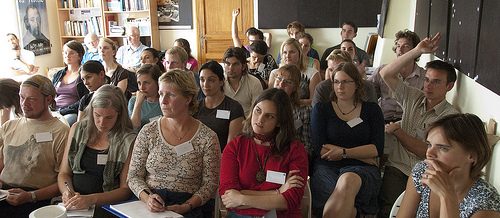
“Question Time,” on Flickr by Kalense Kid.
During Preservation Week 2013, I gave a personal digital archiving webinar in which over 600 people participated. Ninety one people submitted questions online and two-thirds of the questions centered on two topics: digital photos and storage. In part 1 of this blog post, I gave sample questions and answers about digital photos. Today I will give sample questions and answers from the webinar about digital storage.
What portable hard drive do you recommend for backup? Can you recommend a solid state mass storage accessory drive? Are external hard drives any more reliable for backups than CDs, flash drives, or any other media format?
At the Library of Congress, we cannot make product recommendations but we can talk about the general considerations you should be aware of for digital storage.
Hard drives are not exactly more reliable than other formats; they can still be damaged. But external hard drives do have a larger capacity than most other consumer storage devices, so depending on how much stuff you have to back up — if you don’t have unusually large data-storage needs — you could probably fit everything onto one external backup drive instead of several CDs or flash drives.
The “flash” distinction gets a little fuzzy because some solid-state (no moving parts) external backup drives are essentially large-capacity flash drives that can hold (as of July 2013) up to 1 TB. To reduce your risk of loss, try to fit your entire personal digital collection onto one storage device and backup your collection onto a second device in case something happens to the first. This may seem extreme but institutions routinely practice backup-drive redundancy. Unforeseen things happen and you should be prepared.
There is no “best” storage medium. CDs, DVDs, flash drives, solid-state drives, spinning-disk hard drives, tape and networked cloud storage all have benefits and drawbacks. CDs and DVDs are light, flat and easy to store but they can be scratched and damaged. Flash drives do not have the moving parts that spinning disks do but they are more affected by extreme temperatures. Spinning-disk drives – the kind that “whir” when you turn them on – have a large storage capacity but you could easily damage them just by dropping them.
The best strategy is to backup copies onto at least two different types of media and store a copy in a different geographic location in case some disaster strikes your home or office. In fact, professional photographers – who have a financial stake in the accessibility and safekeeping of their digital photographs – have a “3-2-1” rule: make three copies, store two on different types of media and one in a different location.
Also, a general rule is to keep storage devices in the same environment that you would be comfortable in — not too hot, not too cold and not too humid. Keep them out of the attic or a damp basement.
Be aware that all storage devices eventually become obsolete (think of floppy disks). Therefore, in order to keep your files accessible, you should move your collection to a new storage medium about every five to seven years. That’s about the average time for something new and different to come out. Keep migrating your collection forward to new media periodically. Even if there is nothing profoundly new on the market in seven years, any storage device can wear out if you use it enough so you might want to just buy a new version of the same old thing.
Cloud services relieve you of the responsibility replacing storage hardware. The possible drawback to cloud storage, though, is that your collection may become inaccessible if the network connection is disrupted. Also the cloud service might fall victim to malicious hacking or it might go out of business. No online backup service is as reliable as a storage device that you can see and touch. Cloud storage should only be a secondary backup option.
If you take responsibility for your digital collection and manage it wisely, your collection will always remain accessible.
Is it OK to store the disk or flash drive in a lock box that is fire proof?
It shouldn’t be a problem. However be careful that the lock box doesn’t get too hot or exposed to too much humidity. The general rule of thumb is to keep storage devices — as well as paper photos — in an environment that you would also be comfortable in. Not too hot, not too cold and not too humid.
LOC Wayback machine – can this be used for archiving collections?
Yes. But use it or anything similar — such as cloud storage — as a secondary backup, never as the main place to store your stuff.
Are there any benefits to “archival quality” CDs or DVDs or will regular ones do fine?
Gold CDs are better, but they still fail. If your archive relies on CDs, use CDs from two different manufacturers in case you get a bad batch.
What is the average lifespan of a DVD and do certain types of DVDs have a longer lifespan?
It is difficult to say how long DVDs will last. A lot depends on the conditions under which you store the DVDs, how much you use them and other factors. Take a look at our PDF brochure on the lifespan of storage media.
Is a hard drive for back-up of photos better than a flash drive?
Neither one is superior to the other as far as being better for backup. Storage drives are just containers and digital photos are just files for them to contain. Drives don’t care about file types; a file is a file. External hard drives tend to have a larger storage capacity though, so you can fit more photos on it.
With digital files and containers having so many problems — but with storage cheap — why get rid of anything? Is that really a limiting factor?
The answer is both philosophical and subjective. It’s certainly a conversation starter. Whether you save everything or not is really up to you. One possible disadvantage to saving everything is that there will be more for you to muddle through when the time comes to find something, especially if you have many drafts of documents and many copies of photos and videos and you’re looking for the one good copy. The archivists that I work with are fanatical about sorting, evaluating, keeping and tossing, so their advice would be to not keep everything. But it really is up to you. In fact I wrote an article for Public Libraries Online about “Dealing with Digital Clutter.”
Can you talk about best practices for “automatic” cloud storage methods or commercial services? Why is cloud-based storage best used as a back up?
We can’t comment on specific products but it seems that any automated backup service is a good one; the less work you have to do, the better. I agree that online storage is convenient and often it is the only option for transferring files to someone when the files are too large to send as email attachments. When it comes to digital preservation and personal archiving, remember that no online backup “cloud” service is as reliable as a backup drive that you can see and touch. There are events beyond your control that could happen to online storage, such as malicious hacking or disruption of Internet connectivity. That’s not to say these things will happen, but there’s a risk of them happening. Cloud storage should only be a secondary backup option in addition to having a backup drive or two.
There was talk ten years ago of “The Pulse” wiping out our computerized storage. Any truth to this possibility? Can exposure to magnetization erase photos from CDs or DVDs?
CDRs or DVDR’s should not be affected by large magnets, unless subjected to very high heat at the same time. Commercially pressed CDs and DVDs are not affected by magnets. Magnetism cannot erase data from CD/DVDs because the data is burned on.
The “What” of Email Archiving
The Box That Done More, by delphwynd, on Flickr
A couple of weeks ago I wrote about the need for applied digital preservation research. The post generated a number of great comments and I’ll take some time over the next few months to dig a little deeper into each subject area and try and tease out where the useful efforts are, while also identifying further gaps that might be plugged by further research.
This time I’ll dive a little deeper into email archiving. Perhaps it’s best to start with the first question from last time: What are the main challenges of email archiving?
At the highest level, Chris Prom, in his DPC Technology Watch Report on Preserving Email (pdf) identifies two areas: perceived technological barriers; and legal mandates that prioritize minimum legal retention periods favoring record destruction over long-term access.
While the legal and policy questions are undoubtedly important, I’m going to leave them for another day and focus for now on the technical issues. And before we can address the “how” of email preservation we need to know “what” an email message is.
A strand of research addressing the “what” for any particular format comes under the rubric of “significant properties.” I won’t go into it any more deeply, but a particularly worthy introduction to this branch of research is “Significant properties of digital objects: definitions, applications, implications” (pdf) by Margaret Hedstrom and Cal Lee from 2002. (This path of exploration also leads to tools like JHOVE, JHOVE2 and DROID.)
So how do we know exactly what we need to capture when we’re talking about preserving an email message? Generally speaking, there is common conformance to the “Internet Message Format” syntax (RFC 2822) across mail systems, but there’s been little to no standardization on email storage formats within clients (look at Prom’s chapter on “IETF Standards” for a much richer discussion of these issues).

“Digital preservation buttons” by user wlef70 on Flickr
Gareth Knight looked at email messages through the veneer of “significant properties” research in the 2009 “Significant Properties Testing Report: Electronic Mail,” part of the InSPECT series of testing reports on different kinds of electronic content (the folks at Archivematica have helpfully summarized the information in Knight’s report to a concise table).
Email preservation is certainly context-based: a preservationista needs to understand the email client(s) used in the organization and hone in on the format native to each one. There are a lot! One web site lists approximately 60 email-related file extensions, but Knight narrows it down to five prominent “representation formats” (Microsoft Outlook Message, Microsoft Outlook Personal Folder, mbox, Maildir and the Email Account XML schema), while offering more detail:
Representation formats are interpreted by the type of information that they contain, as opposed to any characteristic of the format specification itself. An email may be stored in any format that allows the storage of text-based information, as text (ASCII, Unicode) and binary encoded data (Microsoft Personal Folders). Variation of each encoding type is identified by the organisational structure and mark-up contained. For example, mail may be stored individually using maildir or EML, or as a combination of one or more emails in a single file using mboxrd, mboxcl, or other variations.
Prom is even more parsimonious, winnowing his list of formats to mbox and EML, with a caveat:
In the case of many proprietary clients, messages cannot be exported from their native system directly into MBOX or EML. Instead, these clients may export the message to a proprietary, though perhaps open, format. The most common of these formats are .pst (Outlook), and .nsf (Lotus). Tools … can then convert these files to MBOX or EML.
Still, Prom notes that “in general, if an institution can get email into one of the MBOX or EML formats, it has taken a very big step on the road toward preserving email.”
Success!
In a future post I’ll take a look at some of the technical approaches being explored to do the “how” of preserving email. Here are some of the most prominent approaches:
- Migrate email to a new version of the software or an open standard
- Wrap email in XML formats
- Emulate the email environment
- Retain the messages within the existing e-mail system
The Open Planets Foundation has a wiki tracking email-related technical projects, some of which we’ll highlight in future posts. Leads on projects that have explored any of these approaches is greatly appreciated!
Picturing the Democratization of Digital Stewardship
When we first started promoting personal archiving on our website a couple of years ago, the topics was fairly new. The efforts of major institutions to preserve and make available digital content were well-known, of course, but the idea of doing something similar for personal material was embryonic. Since then, attention to what can be called the democratization of digital stewardship has grown steadily. Many smaller organizations, as well as many individuals, are more attuned to the value of digital content to communities and to families.
I could provide a list here of projects underway-which is a good idea, and I’ll do it at some point-but a simpler way to make the case is to point out some recent public pictures tagged with personal digital archiving. Even in cases where the author offers up an attitude of ”look at all this junk,” these pictures are informative and poignant.
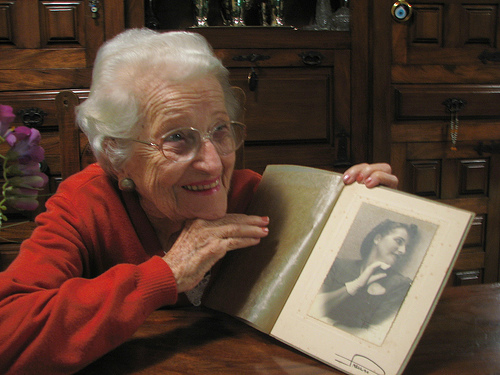
Memories…pressed between the pages of my mind… sweetened through the ages just like wine… precious memories…all I have now are memories…, by neloqua, on Flickr
Winneba Fishing Village – Digital Archive project of OVF Ecotour 2010, by oneVillage Initiative, on Flickr
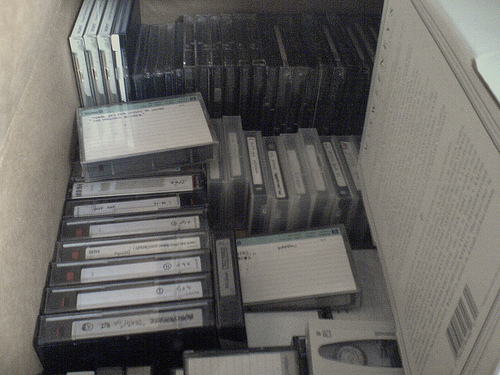
From my Kane-like archives: Backups, many in formats not easily accessible: DAT, 8mm videotape, Zip disk. Even Imation “SuperDisk”, by cnewtoncom on Flickr
Opening reception for Robert E. Kennedy Library’s fall exhibit “Atelier Morgan: The Personal Archives of Architect Julia Morgan,” by Kennedy Library Robert E. Kennedy Library at Cal Poly, on Flickr
As he surrounds himself with all the gathered minutiae that defines him, Kitson’s personal archive may be messy on every level; irrationally romantic attachment to his old house, and inside most of the suitcases were little dioramas of rooms in the building, which lit up and became visible at various points, by angus mcdiarmid, on Flickr
Going through personal archives burried deep in a basement.. Cleaning up and freeing self from past, by celinecelines, on Flickr
The Darker Side of the Digital Content Life Cycle
In May I was suffering from writer’s block and crowdsourced some topics for blog posts on Facebook. I got some very funny suggestions, many useful suggestions, and one that was both humorous and serious that kept sticking in my mind from my LC colleague Rosie Storey: “Digital content death cycle. Hoard, corrupt, abandon, neglect.”
This resonated with me because I have seen it happen. (And, as a disclaimer, none of my examples are from the Library of Congress. I will never say where they happened, so don’t ask.)
 File Not Found, Some rights reserved by MikeNeilson on Flickr
Now, I am one of those people who subscribe (mostly) to the “collect all the things” school of collection development. I have been around long enough to see successes where physical items that were purchased through blanket approval plans or seemingly wacky digital collections acquired or created through a fluke of opportunity become vital resources when new research trends take over or when new tools and increased computing capacity make innovative analysis possible. I wish that, given unlimited funds and storage space, we could taken in every collection were were offered or had the opportunity to digitize. But I know we can’t, and we have to carefully consider what we add to our collections.
I don’t like referring to collection development as “hoarding,” but it can seem that way sometimes. It has to be, because you cannot always guess what will be needed for research in the future and you must collect broadly. That’s at the core of collection development theory. But sometimes hoarding happens as a result of last minute decisions that are not, shall we say, made in a strategic context.
I have seen digital collections acquired that have gotten little to no use. I once ran web statistics on some collections and found we had collections that got a single view per month. In making decisions about migration at a later date, those stats meant that the collections were packed up and held for migration at a much later date. Or not at all.
I have seen digital collections corrupted. They are put online, servers are updated, and the applications to index and deliver the collections break. Servers crash and files cannot be restored. Or collections are migrated but files are missed. I have seen collections accidentally deleted from servers and backups are nowhere to be found. I have seen collection sites overwritten with new versions and the older versions not retained. I was working with a very high-use online collection when we discovered that some bad images. We went back to the original CDs to get the images, to find that there were write artifacts and the files on the discs were unsuable. No one had ever checked that they had written to the CDs correctly, so we had no useable masters.
I have seen collections abandoned and neglected. The faculty member or curator who championed the acquisition or creation of the collection leaves, and it is never added to, promoted to users, or prioritized for migration in the future. I once had a server hacked, and some abandoned collections were not restored. A decision had to be made about human effort to restore them in terms of space and fixing anything that broke during the migration. Who knows how much effort it took to create them in the first place, to then see them left behind.
I don’t want to collect tales of woe about this darker side of the digital content life cycle, but I do want cautionary tales like these to be communicated, so that we can all consider what we are acquiring and if we are remembering to undertake proper stewardship.
Someone Help: A Personal Digital Un-Archive
We don’t usually repost other’s content here, but this graphic is such a perfect illustration about the challenge of personal digital archiving that it deserves special attention. It’s from Doghouse Diaries.
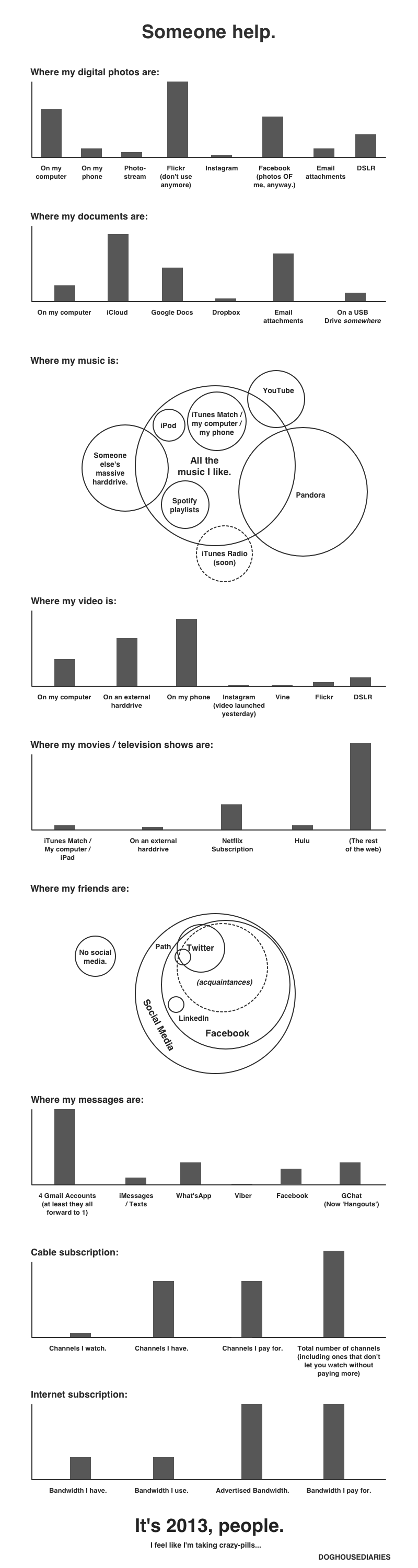
I Made Metadata Fun: A True Story
The following is a guest post by Madeline Sheldon, Junior Fellow with NDIIPP.
Most of you who follow this blog have an interest in digital preservation and will already be familiar with the following information. This particular post is more for the individuals who are just beginning to understand the implications of their digital footprint and what it means to store/preserve and retrieve their data.
Recently, an acquaintance of mine asked about the progress of my research, curious to learn more about the nature of my work. I did my best to relay some of my recent findings about digital preservation stewardship, but when her eyes started to glaze over, I knew I had to employ a different approach. I tried to think of topics that would translate easily into popular culture without losing my friend’s attention, or confusing her with technical jargon. I had the most luck with metadata, mostly because this person had heard mention of its existence in the news and wanted to hear more about how this “new” term existed within her own life.
In order to make metadata relatable, I explained that she inadvertently created metadata every single day by logging onto her favorite social media site, sending an email, text or even taking photos with her digital camera. I used a metadata guide that I found online, followed by real-time demonstrations to further illustrate my point. Together we looked at source code from her newest social media update, pointing towards the time stamp and text of her most recent post:
 In the same way, I explained, emails and text messages create metadata which highlights sender/receiver information, such as location, and the day/time a person sends/receives a new message. When taking photographs with a digital camera, the resulting image often has data encoded into the file, such as size, resolution and camera make/model.
This revelation piqued her interest, though she still didn’t fully comprehend why I needed to relate metadata to my research with digital preservation planning. I did my best to keep my explanation as simple as possible, using digital photographs as a relatable example. Digital material, I explained, is not a stable medium, eventually degrading or becoming obsolete. Cultural institutions dedicated to digital stewardship work to prevent this by creating policies or strategies within their organization to plan for long-term preservation of this material. The use of metadata is a major component in this process because it holds valuable, descriptive information, which allows the digital object to be accessed or discoverable in the future.
After our conversation, I felt a sense of accomplishment because I made metadata fun and relatable to a person completely outside of my profession, which rarely happens. Despite this, I think the conversation went so well because metadata appears to be a hot topic at the moment, though that may (or may not) change in the future.
Whatever the case may be, I can revel in the satisfaction that I successfully brought a new convert to the (meta) side.
10 Resources for Community Digital Archives
We write frequently on this blog about the value of personal digital archiving-empowering people to pass on digital memories to their families and others. We’ve always seen public libraries as key allies in promoting personal archiving, and have highlighted libraries that undertake outreach and training in this area.
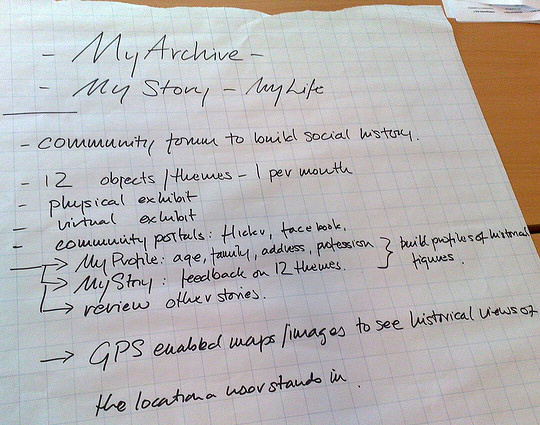
Photo by Virtueel Platform, on Flickr
There is a related role for public libraries and allied organizations: facilitating development of community digital archives. A community collection could consist of born-digital and digitized images, audio, text or other cultural heritage materials that document local history. Community members use the collection to get a deeper understanding of their location, and people often are eager to donate their own personal materials.
This is an approach that has been gaining ground over the last few years. The American Library Association recently suggested (PDF) that public libraries consider digital special collections as a strategic option in planning for the future.
Here, in no special order, are 10 resources that provide useful insight into developing, managing and accessing community digital archives.
Digital Public Library of America Digital Hubs Program, “A national network out of the over forty state/regional digital libraries and myriad large digital libraries in the US, bringing together digitized content from across the country into a single access point for end users, and an open platform for developers.”
Houston Area Digital Archives. Accessed via the Internet Archives, “the Houston Area Digital Archives provides open, online access to the rich collections of the Houston Public Library and other community archives.”
Denver Public Library, Creating Your Community. “The Denver Public Library’s mission is to connect people with information, ideas and experiences to provide enjoyment, enrich lives and strengthen our community. The Creating Your Community project was developed to engage the community to share and connect with their history in new ways using technology, partnerships and outreach programming.”
Arlington County (Va.) Public Library, Arlington Community Archive. Collection of historical documents that narrate the history of Arlington County, its citizens, organizations, and social issues. Researchers can find personal papers, photographs, and archival records of local organizations, clubs, and associations.
Community Archives and Heritage Group. A national group which aims to support and promote community archives in the UK and Ireland. The site provides an extensive list of advice and guidance, as well as a directory of individual archives.
Jones Public Library, Amherst, MA, Digital Amherst. “Brings our Town’s history alive through a collection of images, multimedia, and documents that reflect the independent spirit of our people, creative works, and culture.”
START AN ARCHIVES! ”A blog about the trials and tribulations of starting a community archives,” by an archivist in Philadelphia, Pa.
Hershey (Pa.) Community Archives. “All the partners recognized that… Hershey’s historical record was at risk. Today the Archives serves as a corporate archives to The Hershey Company, Hershey Trust Company and Hershey Entertainment and Resorts Company while also serving as a repository for community and local organizations’ records.”
History Grand Rapids.org. ”It is the plan of the Grand Rapids Historical Commission to collect images from the personal collections of local families, local archives of public and private institutions and organizations, and other local sources that reflect and reveal family and community life and the ways in which Grand Rapids people worked, traveled, educated and enjoyed themselves from the mid-nineteenth through the twentieth century.”
The Mass. Memories Road Show at UMass Boston. “An event-based public history project that digitizes family photos and memories shared by the people of Massachusetts. University Archives staff work with local planning teams to organize free public events where residents are invited to bring family photos to be scanned and included in this digital archive.”
We would love to have your suggestions for additional community archives resources.